Ponte Wearables (Accesorios)
Puedes personalizar la apariencia de tu avatar agregando accesorios portátiles, como un sombrero de pirata, un par de gafas de sol o incluso un par de pantalones que hayas diseñado. Al igual que los avatares, puedes usar tu imaginación para crear los tuyos propios.
Usa Tu Propio Wearable
Put on a wearable that you created. All wearables must be hosted on the internet before they can be used with Overte. You can host on your own HTTP(S) server, upload to your website or to another web hosting service.
Nota
Your wearable must be hosted at a publicly accessible URL so everyone can see it. You must be able to link directly to the file on the internet; Do not use an url to a download page, local network address or a file on your local computer.
Once you know the URL for your wearable's FBX/GLB/glTF/OBJ file, then put it on your avatar:
In Overte Interface, pull up your tablet or HUD and click on Avatar.
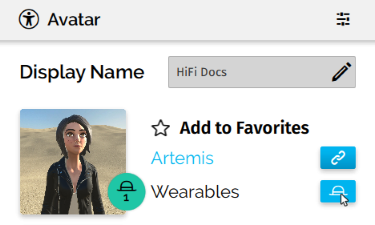
En la ventana de Avatar, haz click en el ícono del sombrero junto a "Wearables".
Haz click en "Add custom" en la parte superior de la ventana.
Enter the wearable file's URL and click 'Confirm'.
Selecciona la articulación que te gustaría usar para equiparte tu wearable. Por ejemplo, un sombrero estaría en tu cabeza y alas de hadas en tu columna vertebral.
Afina la ubicación con las opciones de "Position" y "Rotation".
Marca "Is soft" (Es suave) si el artículo está amañado (Bien posicionado) con tu esqueleto. Esto permite que el elemento se mueva y se doble con el avatar mientras se mueve.
Haz click en "Save".
Nota
You may find it easier to fine tune your wearable's placement using the Create app.
Grab your Wearable
A wearable isn't just a static add-on to your avatar, it behaves as if it were its own object in the world too. In VR you can use either hand to grab and interact with it, just as you can on Desktop.
You can make small adjustments to their position using your hand controllers. Want to spin your cap around to be one of the cool kids? Now you can! It will stay connected to whichever joint you chose when you added it, but will maintain its new relative position after you have released it from your grab.
Nota
Wearables can be grabbed by anyone, not just the person wearing them. If you don't want that, make sure to lock them in place!
If you would like to lock it in place, so it cannot be grabbed, click the lock icon in the Avatar app.
Modify your Wearable
You can even modify your wearable using the Create app whilst you are wearing it.
Nota
Modified wearables will follow you to different domains and remain when you next load Overte, however any modifications will not be saved to your avatar until you favorite it again.
You can edit any property of your wearable, just like any other object in the domain. Give it a name, shift its position in relation to the joint it is attached to, give it an animation or attach an entity script. Your modifications will remain until you switch to another avatar.
Favorite Wearables for your Avatar
So you have added a wearable or two as accessories for your current avatar, and you like them so much you just know you will be wearing them all the time? It's time to save them as a set with your favorite avatar.
When you add an Avatar as a favorite, it will also save any wearables you have added along with it. So whenever you change your set of wearables be sure to press Add to favorites to save them as a favorite set. Then whenever you load it from your favorites again, your wearables will load along with it!
Nota
Changes made to your wearables are not automatically saved to your favorites. You must Add to favorites again to save changes after grabbing, modifying, adding or removing wearables.
Ver también